Midjourney image generation and processing service can generate and rewrite high-quality images.
API home page: Ace Data Cloud - Midjourney generation
Midjourney is a very powerful AI drawing tool that can generate exquisite images in just one or two minutes by simply inputting keywords. Midjourney stands out in the industry with its outstanding drawing capabilities, and today, it has been widely applied across various industries and fields, with its influence becoming increasingly significant.
This document mainly introduces the usage process of the Imagine operation in the Midjourney API, allowing us to easily generate the required images through text.
To use the Midjourney Imagine API, you can first go to the Midjourney Imagine API page and click the "Acquire" button to obtain the credentials needed for the request:

If you are not logged in or registered, you will be automatically redirected to the login page inviting you to register and log in. After logging in or registering, you will be automatically returned to the current page.
When applying for the first time, there will be a free quota available for you to use the API for free.
Next, you can fill in the corresponding content on the interface, as shown in the figure:
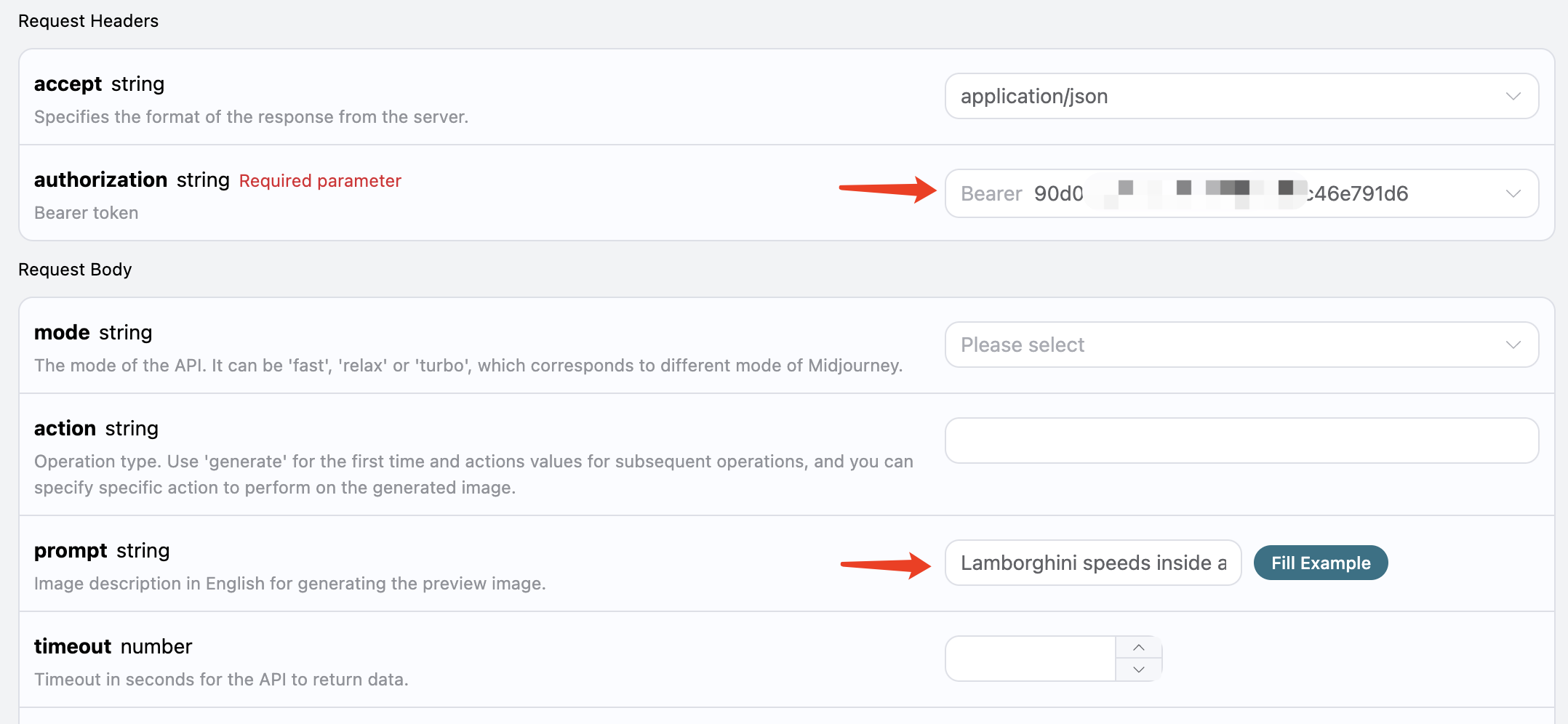
When using this interface for the first time, we need to fill in at least two pieces of content: one is authorization, which can be selected directly from the dropdown list. The other parameter is prompt, which is the description of the image we want to generate. It is recommended to describe it in English for more accurate and better results. Here we used the example content Lamborghini speeds inside a volcano, which represents wanting to draw a Lamborghini speeding inside a volcano.
You can also notice that there is corresponding code generation on the right side; you can copy the code to run directly or click the "Try" button for testing.
Main request parameters:
prompt: Image description (supports automatic translation).mode: Generation mode, optionalfast/relax/turbo, default is fast.timeout: Timeout duration (seconds), will return directly on timeout.translation: Whether to automatically translate non-English prompts.split_images: Whether to split 2x2 results and return single images.action/image_id: Required to specify when continuing operations on historical images.callback_url: Asynchronous callback address.

After the call, we find the returned result as follows:
{
  "image_url": "https://midjourney.cdn.acedata.cloud/attachments/1233387694839697411/1234197197067915365/36rgqit64j90qptsxnyq_Lamborghini_speeds_inside_a_volcano_id0494_f47263b6-ff92-44a3-88ee-51cf0e706aae.png?ex=662fdb36&is=662e89b6&hm=ca9be54907726937ed02517a13466bef2afb2825b7cda4b313de56a3c3310d0d&width=1024&height=1024",
  "image_width": 1024,
  "image_height": 1024,
  "image_id": "1234197197067915365",
  "raw_image_url": "https://midjourney.cdn.acedata.cloud/attachments/1233387694839697411/1234197197067915365/36rgqit64j90qptsxnyq_Lamborghini_speeds_inside_a_volcano_id0494_f47263b6-ff92-44a3-88ee-51cf0e706aae.png?ex=662fdb36&is=662e89b6&hm=ca9be54907726937ed02517a13466bef2afb2825b7cda4b313de56a3c3310d0d&",
  "raw_image_width": 2048,
  "raw_image_height": 2048,
  "progress": 100,
  "actions": [
    "upscale1",
    "upscale2",
    "upscale3",
    "upscale4",
    "reroll",
    "variation1",
    "variation2",
    "variation3",
    "variation4"
  ],
  "task_id": "1bae3bec-3ac4-4180-a148-74ee6cb68b98",
  "success": true
}
The returned result contains multiple fields, described as follows:
task_id: The ID of the task that generated this image, used to uniquely identify this image generation task.image_id: The unique identifier of the image, which needs to be passed when performing transformation operations on the image next time.image_url: The URL of the thumbnail, which can be opened directly to view the generated effect.image_width: The pixel width of the thumbnail.image_height: The pixel height of the thumbnail.raw_image_url: The URL of the original image, which is the same as the thumbnail content but is higher definition, loading a bit slower.raw_image_width: The pixel width of the original image.raw_image_height: The pixel height of the original image.actions: A list of further operations that can be performed on the generated image. Here, a total of 8 are listed, whereupscalerepresents enlarging, andvariationrepresents transformation. Soupscale1represents enlarging the first image in the top left corner, andvariation3represents transforming based on the third image in the bottom left corner.
Opening the link corresponding to image_url or raw_image_url, you can find as shown in the figure.

It can be seen that a 2x2 preview image has been generated here. So far, the first API call has been completed.
Next, we will try to perform further operations on the currently generated photo. For example, if we think the second image in the top right corner is quite good, but we want to make some transformation adjustments, we can further fill in action as variation2 and pass the image_id:
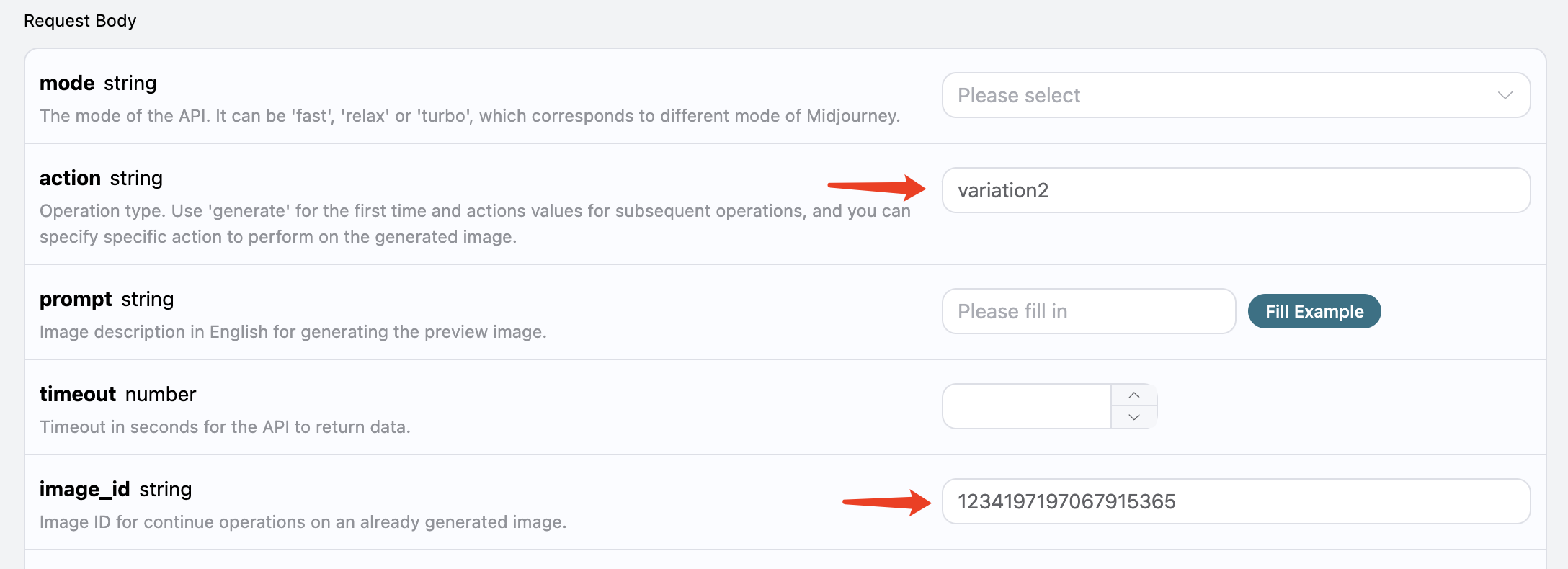
The result obtained this time is as follows:
{
  "image_url": "https://midjourney.cdn.acedata.cloud/attachments/1233387694839697411/1234201336543969401/36rgqit64j90qptsxnyq_Lamborghini_speeds_inside_a_volcano_id0494_10dc56a7-ec16-4bac-878e-2338f2ae5f5d.png?ex=662fdf10&is=662e8d90&hm=9aec96bca35ae20b6f9ab536101b9c4ea255eb6216cbf7000ac554937da071f3&width=1024&height=1024",
  "image_width": 1024,
  "image_height": 1024,
  "image_id": "1234201336543969401",
  "raw_image_url": "https://midjourney.cdn.acedata.cloud/attachments/1233387694839697411/1234201336543969401/36rgqit64j90qptsxnyq_Lamborghini_speeds_inside_a_volcano_id0494_10dc56a7-ec16-4bac-878e-2338f2ae5f5d.png?ex=662fdf10&is=662e8d90&hm=9aec96bca35ae20b6f9ab536101b9c4ea255eb6216cbf7000ac554937da071f3&",
  "raw_image_width": 2048,
  "raw_image_height": 2048,
  "progress": 100,
  "actions": [
    "upscale1",
    "upscale2",
    "upscale3",
    "upscale4",
    "reroll",
    "variation1",
    "variation2",
    "variation3",
    "variation4"
  ],
  "task_id": "f4961620-1104-409f-9dc1-ba3ed15c2f4d",
  "success": true
}
Open image_url, the newly generated image is as follows:
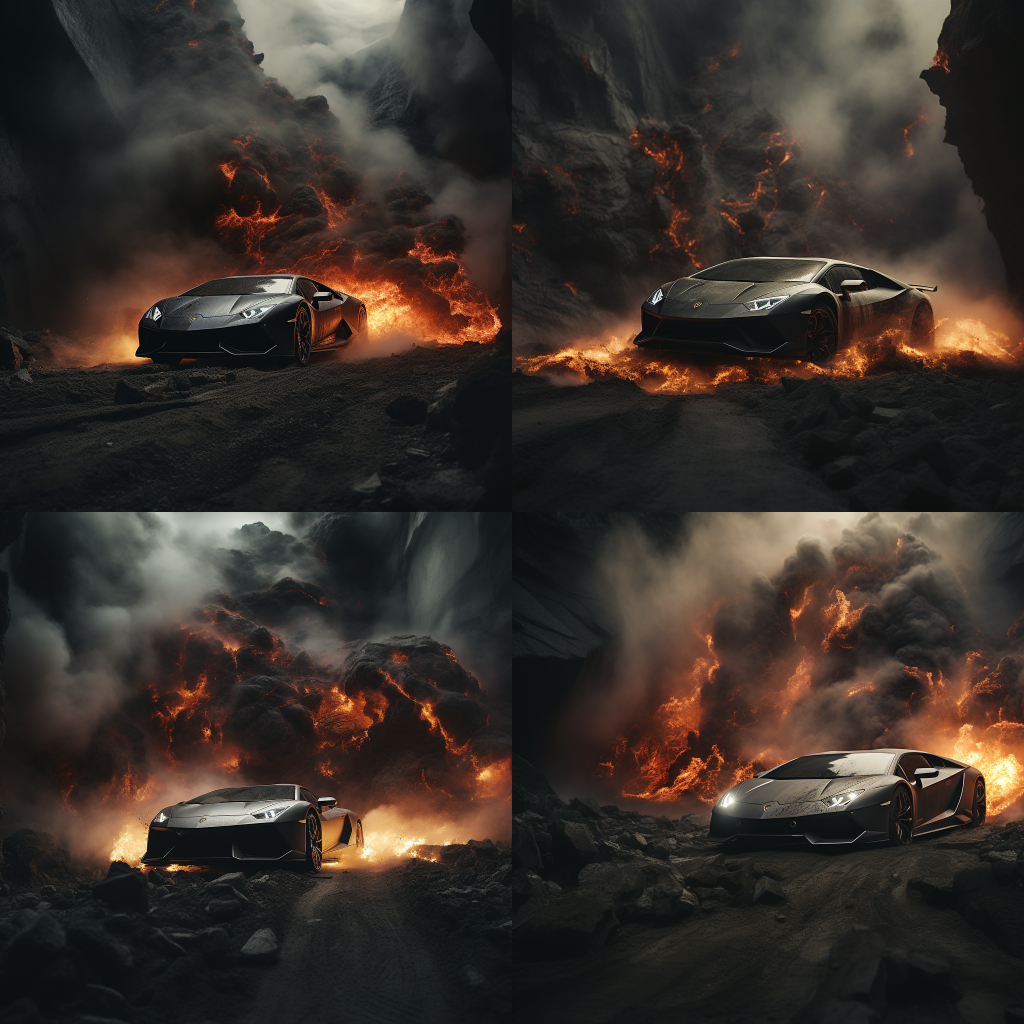
As can be seen, for the previous image in the upper right corner, we have again obtained four similar photos.
At this point, we can select one of them for a refined enlargement operation. For example, if we choose the fourth one, we can pass upscale4 in the action and then pass the current image's ID again using image_id.

Note: The
upscaleoperation takes less time compared tovariationin Midjourney.
The return result is as follows:
{
  "image_url": "https://midjourney.cdn.acedata.cloud/attachments/1233387694839697411/1234202545208033400/36rgqit64j90qptsxnyq_Lamborghini_speeds_inside_a_volcano_id0494_34edc3f5-2bd0-4f5b-a372-03270b02289b.png?ex=662fe031&is=662e8eb1&hm=f8006c4d33a03dfd027dffe4eb46ab0d113a4910aef07497f0b335c8998b7858&width=512&height=512",
  "image_width": 512,
  "image_height": 512,
  "image_id": "1234202545208033400",
  "raw_image_url": "https://midjourney.cdn.acedata.cloud/attachments/1233387694839697411/1234202545208033400/36rgqit64j90qptsxnyq_Lamborghini_speeds_inside_a_volcano_id0494_34edc3f5-2bd0-4f5b-a372-03270b02289b.png?ex=662fe031&is=662e8eb1&hm=f8006c4d33a03dfd027dffe4eb46ab0d113a4910aef07497f0b335c8998b7858&",
  "raw_image_width": 1024,
  "raw_image_height": 1024,
  "progress": 100,
  "actions": [
    "upscale_2x",
    "upscale_4x",
    "variation_subtle",
    "variation_strong",
    "zoom_out_2x",
    "zoom_out_1_5x",
    "pan_left",
    "pan_right",
    "pan_up",
    "pan_down"
  ],
  "task_id": "03f62b17-a6f1-4c8e-9b4d-1fc7bd5b1180",
  "success": true
}
Among them, image_url is shown as follows:

Thus, we have successfully obtained a photo of a Lamborghini.
At the same time, note that the actions also include several operations that can be performed, described as follows:
upscale_2x: Enlarges the image by 2 times, resulting in a 2x high-definition image.upscale_4x: Enlarges the image by 4 times, resulting in a 4x high-definition image.zoom_out_2x: Reduces the image by 2 times (filling surrounding areas).zoom_out_1_5x: Reduces the image by 1.5 times (filling surrounding areas).pan_left: Shifts the image to the left.pan_right: Shifts the image to the right.pan_up: Shifts the image upwards.pan_down: Shifts the image downwards.
You can continue to pass the corresponding transformation commands for continuous image generation operations according to the above process.
This API also supports image rewriting, commonly known as base image. We can input an image URL and the description text that needs to be rewritten, and the API will return the rewritten image.
Note: The input image URL must be a pure image and cannot be a webpage displaying an image; otherwise, image rewriting cannot be performed. It is recommended to use an image hosting service to upload and obtain the image URL.
For example, we have an image of a sunset on a highway, with some trees and buildings beside the road, as shown:
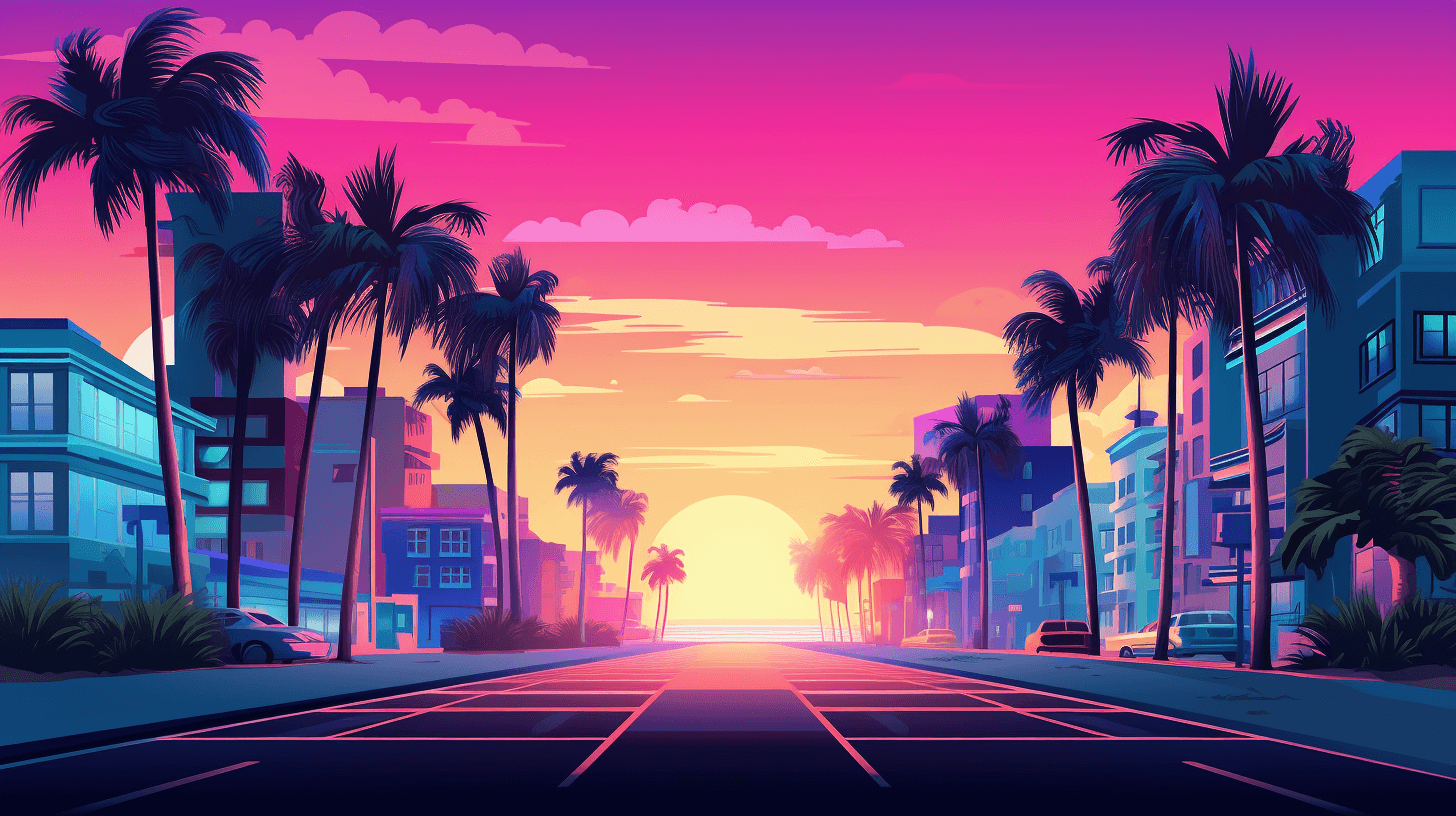
Now we want to rewrite it to be next to a beach, with a car parked by the roadside. We can construct the following prompt:
https://cdn.acedata.cloud/v014oc.png an illustration of a car parked on the beach --iw 2As can be seen, the beginning of our prompt is an HTTPS image link, followed by a space, and then the prompt text content. Here we also used some additional advanced parameters, such as —iw 2 to adjust the weight of the image.
We can pass the above content as a whole to the prompt field, as shown:

The output result is as follows:
```bash
{
  "image_url": "https://midjourney.cdn.acedata.cloud/attachments/1234427310434947145/1234539663515975690/atmateosa5693_An_illustration_of_a_car_parked_on_the_beach_id26_cc8650ec-7e4b-4685-8911-78172430d8a7.png?ex=66311a28&is=662fc8a8&hm=c39707a1f22bc7f12874060ea6ed58ba37c188139ccc9a13c61ed9f37e66ea74&width=1456&height=816",
  "image_width": 1456,
  "image_height": 816,
  "image_id": "1234539663515975690",
  "raw_image_url": "https://midjourney.cdn.acedata.cloud/attachments/1234427310434947145/1234539663515975690/atmateosa5693_An_illustration_of_a_car_parked_on_the_beach_id26_cc8650ec-7e4b-4685-8911-78172430d8a7.png?ex=66311a28&is=662fc8a8&hm=c39707a1f22bc7f12874060ea6ed58ba37c188139ccc9a13c61ed9f37e66ea74&",
  "raw_image_width": 2912,
  "raw_image_height": 1632,
  "progress": 100,
  "actions": [
    "upscale1",
    "upscale2",
    "upscale3",
    "upscale4",
    "reroll",
    "variation1",
    "variation2",
    "variation3",
    "variation4"
  ],
  "task_id": "24a79e8b-a79d-471a-aef7-089dc0627ee8",
  "success": true
}
At this point, we have obtained the following generated image:

As we can see, while maintaining the overall style and composition of the original image, the entire scene has changed to be next to the beach, and a car has appeared on the road. This is Prompt with Image.
This API also supports image fusion, allowing us to input multiple images to achieve different image fusion effects.
For example, here we have two images, one of a teddy bear and the other of a chainsaw, as shown below:
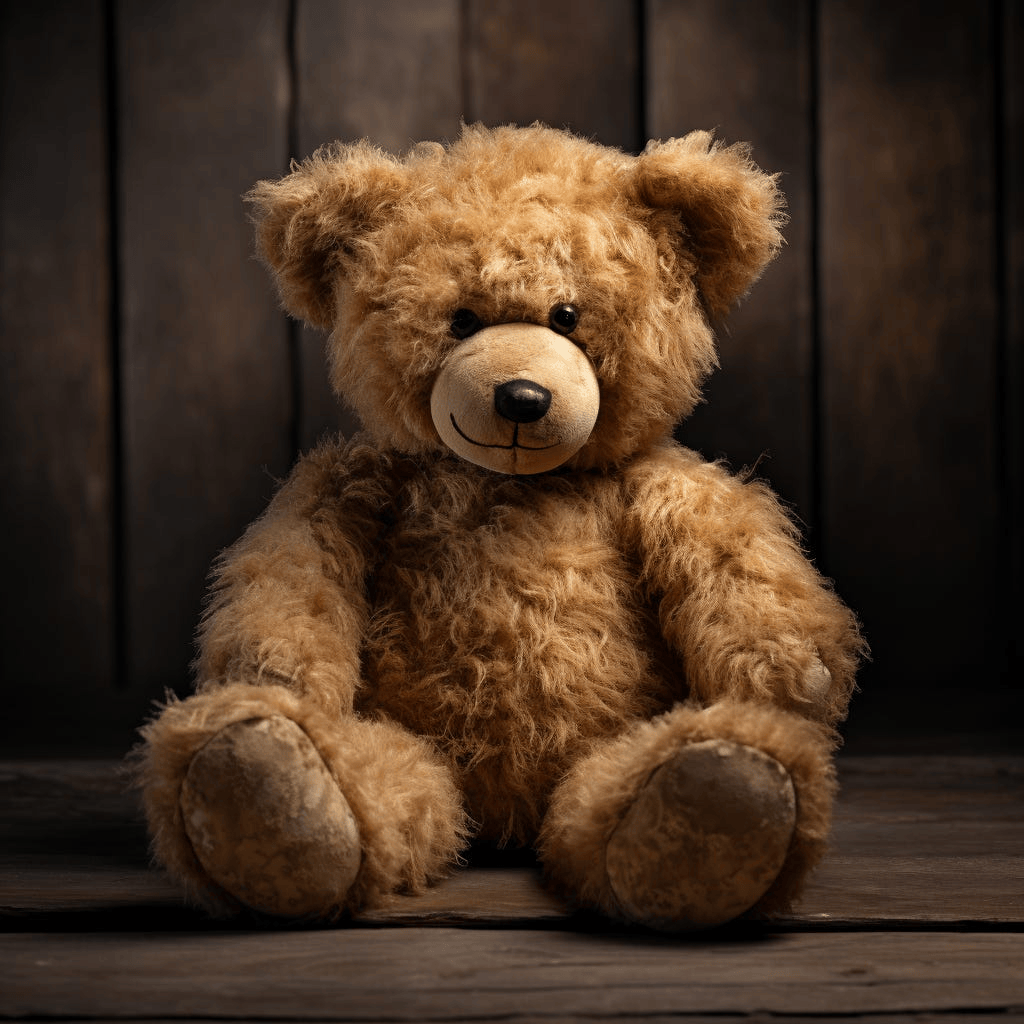
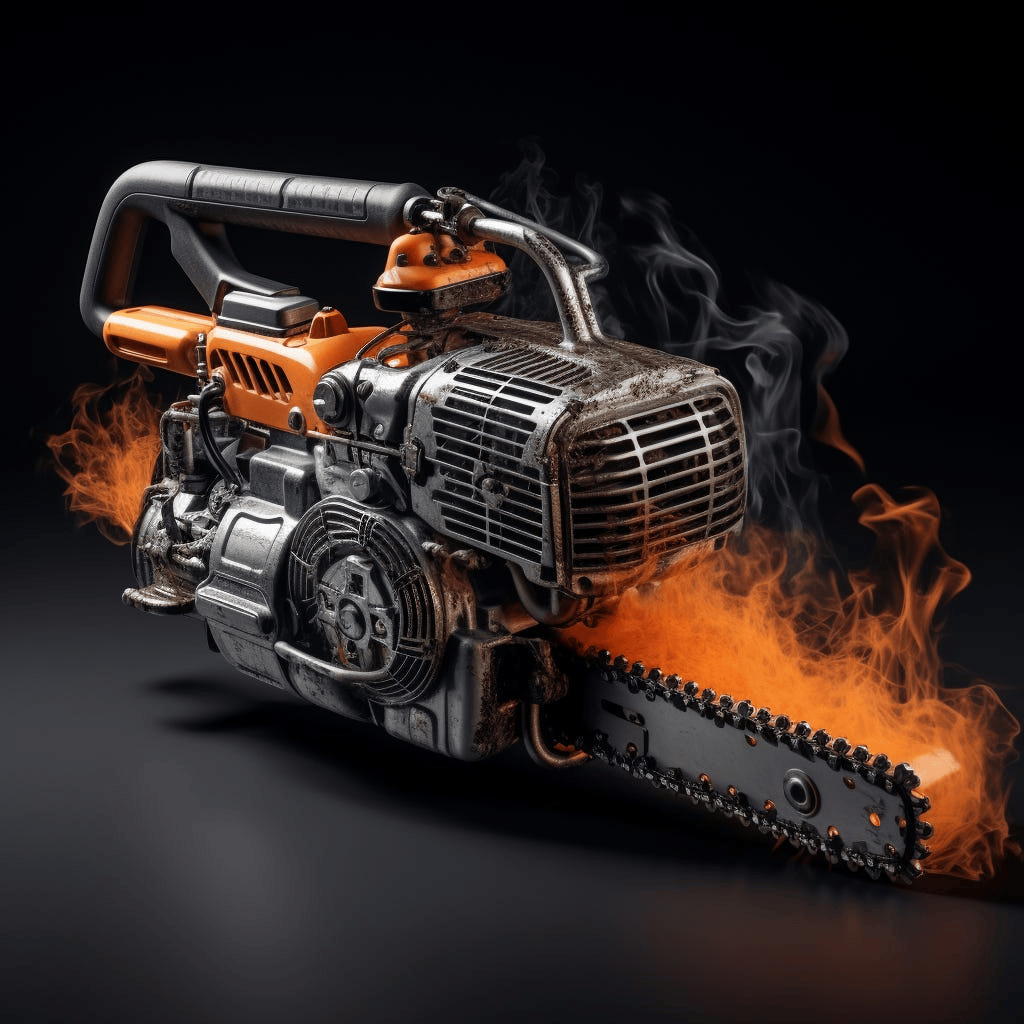
Now we want to fuse the two together, making the bear hold the chainsaw. How do we do that?
We can construct the following prompt:
https://cdn.acedata.cloud/8fapzl.png https://cdn.acedata.cloud/c1igbw.png The bear is holding the chainsaw --iw 2As we can see, similar to Image with Prompt, we place multiple image URLs at the beginning of the prompt, separated by spaces, and then add the text prompt at the end, passing the above content as a whole to the prompt parameter. The running effect is as follows:
{
  "image_url": "https://midjourney.cdn.acedata.cloud/attachments/1234291876639674388/1234547236830973972/kcisok_The_bear_is_holding_the_chainsaw_id8873344_ad605bc4-ba19-4807-b94f-367dab672f7a.png?ex=66312136&is=662fcfb6&hm=0fb1e2261c9a30b04de9da9b23b7562eb73677f1bbda1fae52c7243b12d25aac&width=1024&height=1024",
  "image_width": 1024,
  "image_height": 1024,
  "image_id": "1234547236830973972",
  "raw_image_url": "https://midjourney.cdn.acedata.cloud/attachments/1234291876639674388/1234547236830973972/kcisok_The_bear_is_holding_the_chainsaw_id8873344_ad605bc4-ba19-4807-b94f-367dab672f7a.png?ex=66312136&is=662fcfb6&hm=0fb1e2261c9a30b04de9da9b23b7562eb73677f1bbda1fae52c7243b12d25aac&",
  "raw_image_width": 2048,
  "raw_image_height": 2048,
  "progress": 100,
  "actions": [
    "upscale1",
    "upscale2",
    "upscale3",
    "upscale4",
    "reroll",
    "variation1",
    "variation2",
    "variation3",
    "variation4"
  ],
  "task_id": "891f2645-ee15-4c7b-ac24-d98163c8e57e",
  "success": true
}
We have obtained the following result:
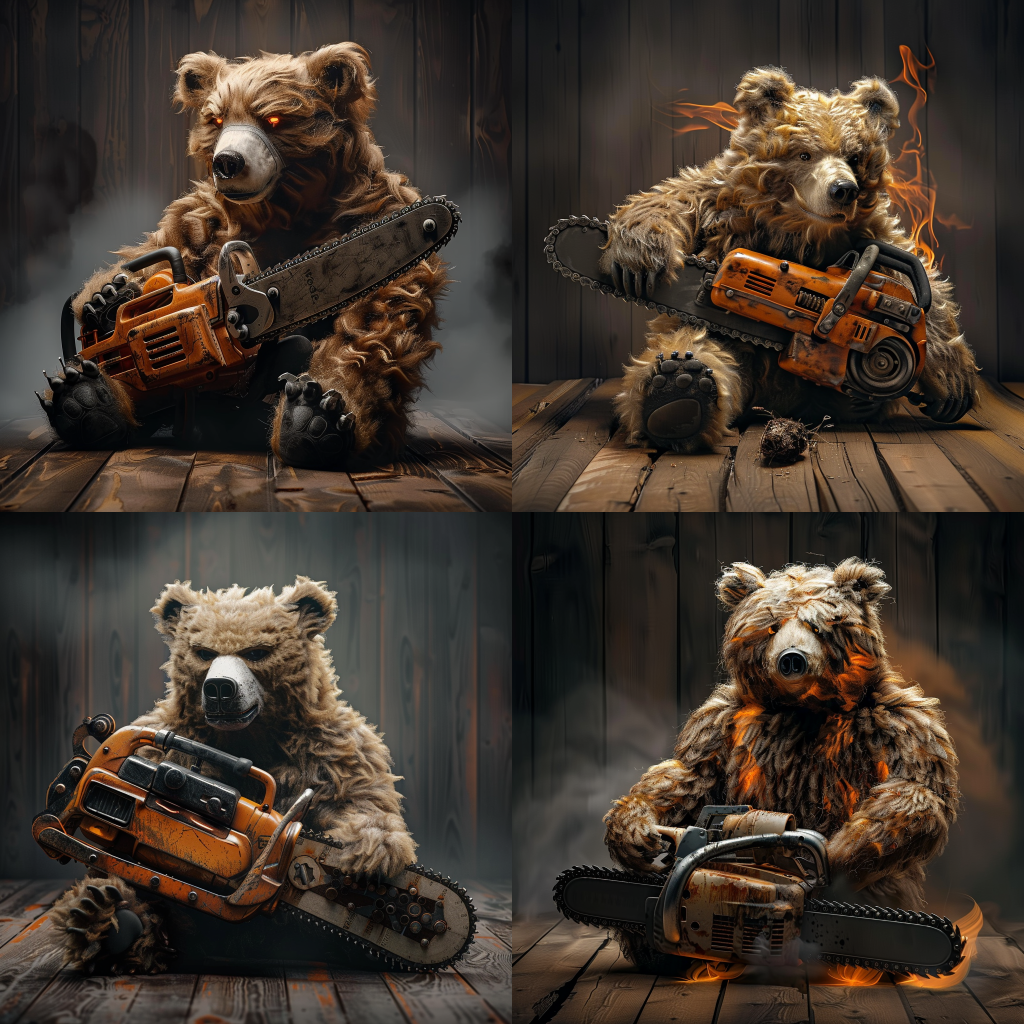
As we can see, we have successfully achieved image fusion.
Note: The image fusion can support a maximum of 5 image URLs as input, meaning it can support the fusion of up to 5 images, with the input format as above.
For more info, please check below APIs and integration documents.
| API | Path | Integration Guidance |
|---|---|---|
| Midjourney Imagine API | /midjourney/imagine |
Midjourney Imagine API Integration Guide |
| Midjourney Seed API | /midjourney/seed |
|
| $t(document_title_midjourney_edits_api) | /midjourney/edits |
Midjourney Edits API Integration Guide |
| $t(document_title_midjourney_videos_api) | /midjourney/videos |
Midjourney Videos API Integration Guide |
| Midjourney Describe API | /midjourney/describe |
Midjourney Describe API Integration Guide |
| Midjourney Translate API | /midjourney/translate |
Midjourney Translate API Integration Guide |
| Midjourney Tasks API | /midjourney/tasks |
Midjourney Tasks API Integration Guide |
Base URL: https://api.acedata.cloud
If you meet any issue, check our from support info.